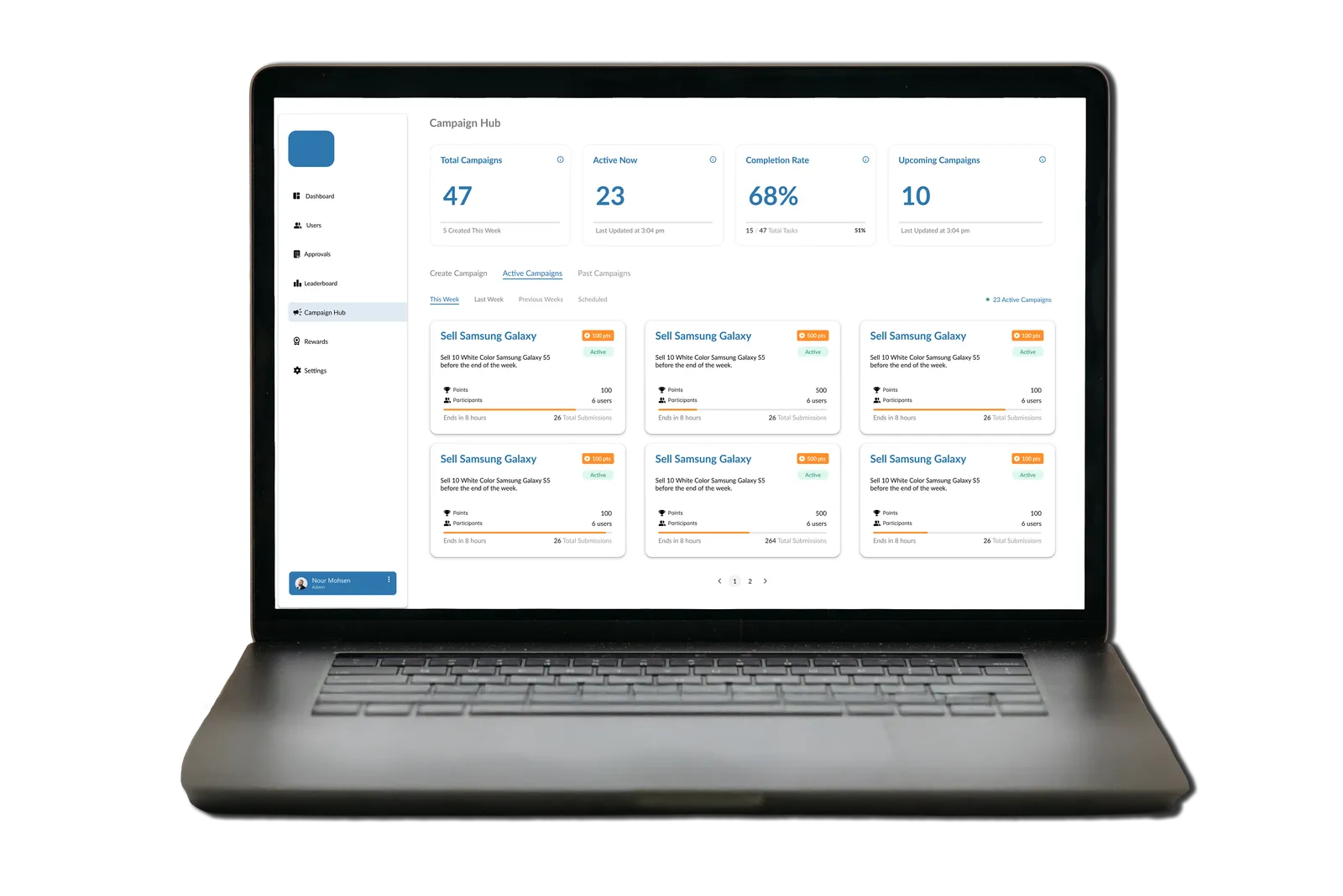
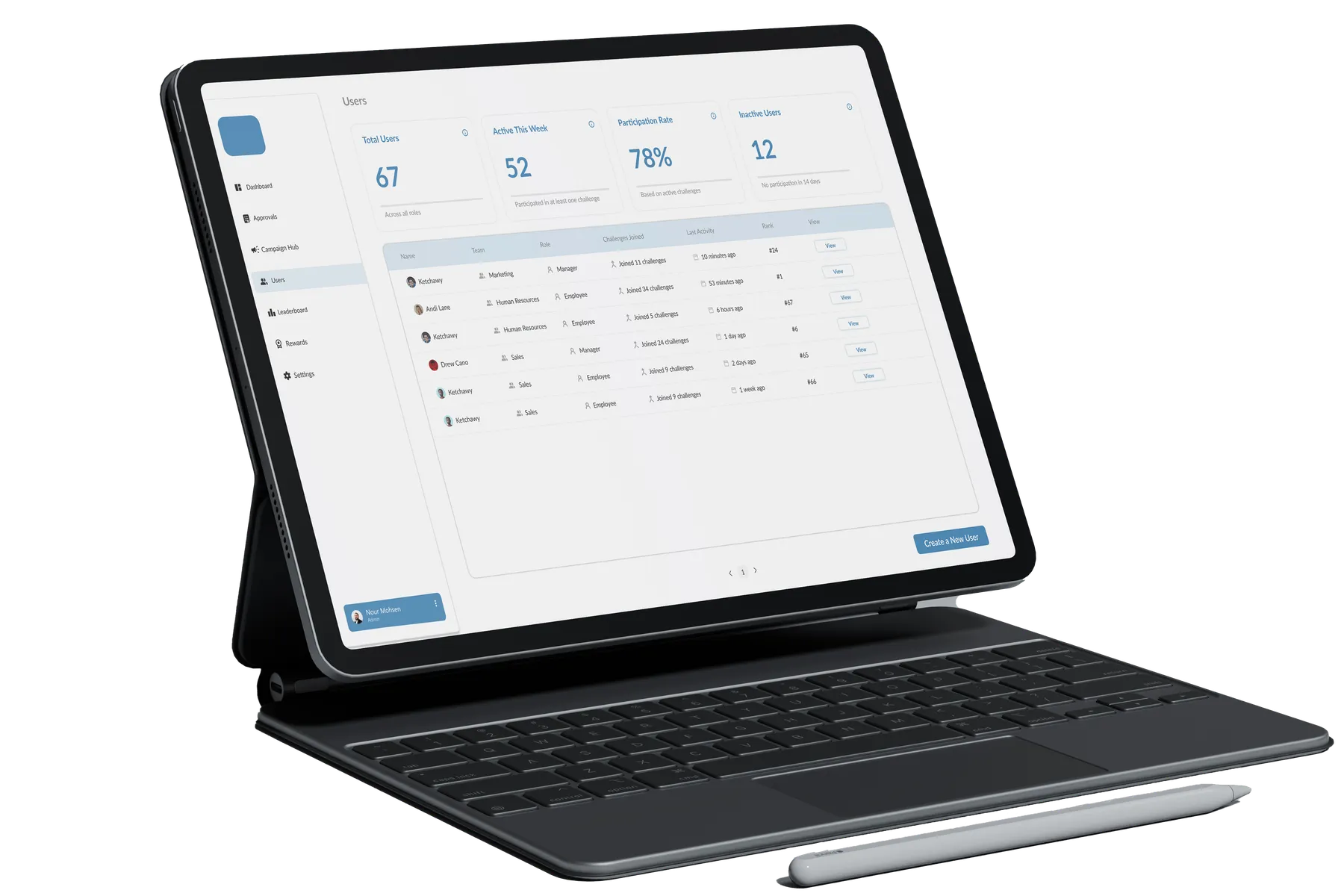
Problem
Companies run short incentive campaigns to sell specific products, but approvals are slow and unclear. Managers struggle to review submissions, and employees can't see their progress, rank or rewards.
A gamified incentive platform. Managers launch short campaigns to push specific sales goals, employees earn points and rewards on top of their salary, and everyone can see where they stand. I'm the only designer on the team, and developers are building Phase 1 now.
Companies run short incentive campaigns to sell specific products, but approvals are slow and unclear. Managers struggle to review submissions, and employees can't see their progress, rank or rewards.
Short-term incentive campaigns are a common way to drive sales of a specific product: "sell 10 Galaxy phones this week, earn 100 points." Employees take part to earn rewards on top of their salary. In practice, the approval and tracking process feels unclear, slow and inconsistent.
Existing systems focus on data entry. They don't create engagement, and they don't make the admin's job faster. The challenge was to design one platform that motivates employees and gives managers fast, structured control.
…link every employee's effort to a visible result and reward, while letting managers review and run campaigns in minutes, not hours?
The PM brought the founder's idea. Before designing, I mapped who touches the system and what each of them needs. These two roles come from the brief and the workflow mapping. They're working assumptions, not interview findings, and testing them with real users is part of the next phase.
Does: creates campaigns, sets points and dates, reviews proof of sales, approves or rejects, manages rewards and users.
Pain today: reviewing submissions one page at a time, with no single view of how a campaign is performing.
Needs: dense, scannable information and the fewest clicks per decision.
Does: joins campaigns, submits proof, tracks points, checks the leaderboard, redeems rewards.
Pain today: no idea whether a submission was approved, where they rank, or what they've earned.
Needs: progress they can see, and a reason to come back. (Their side is the next phase.)
The admin sets the goal, points, dates, team and proof rules.
Employees join and submit proof of each sale.
The admin approves or rejects in one drawer.
Points update the leaderboard for everyone.
Employees redeem points for real rewards.
Reviewing submissions, managing campaigns, and seeing the leaderboard. Each became a core module, and each got the same pattern: summary widgets at the top, the work in the middle, and details in a drawer.
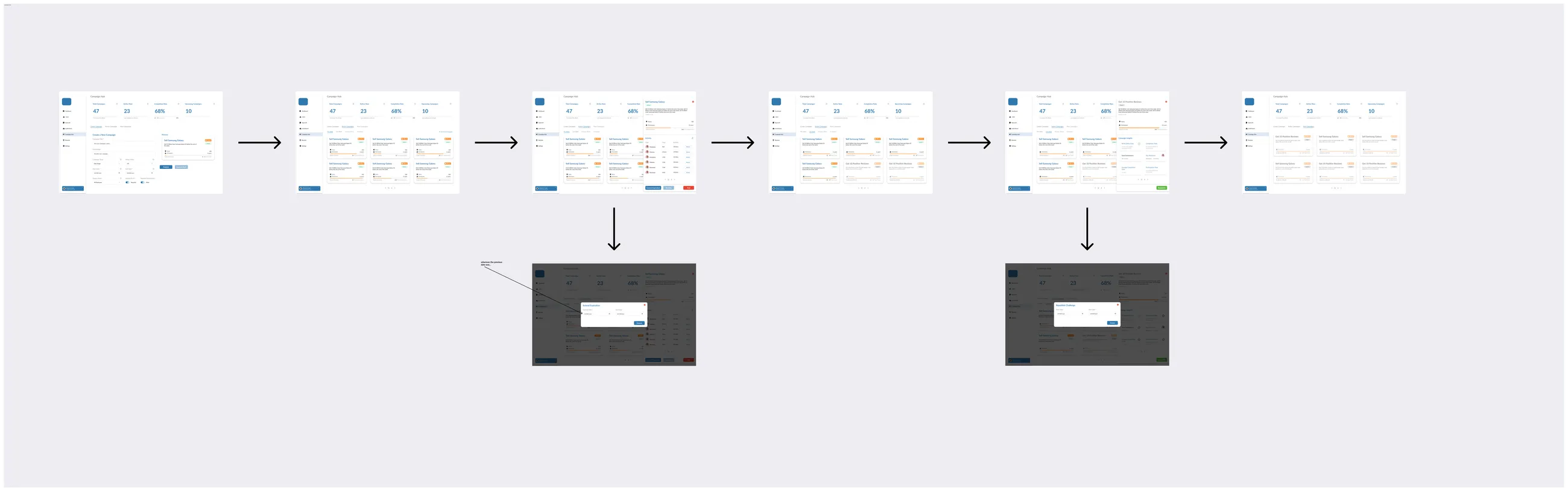

Opening a campaign, a submission or a user slides in a drawer instead of loading a new page. Admins keep their place in the list and never have to jump between pages. It was also easier for the developers: one pattern, built once and reused everywhere.
The admin dashboard is dense, structured and fast. The employee side is gamified, with points, ranks and rewards. Same data, but presented for a different job.
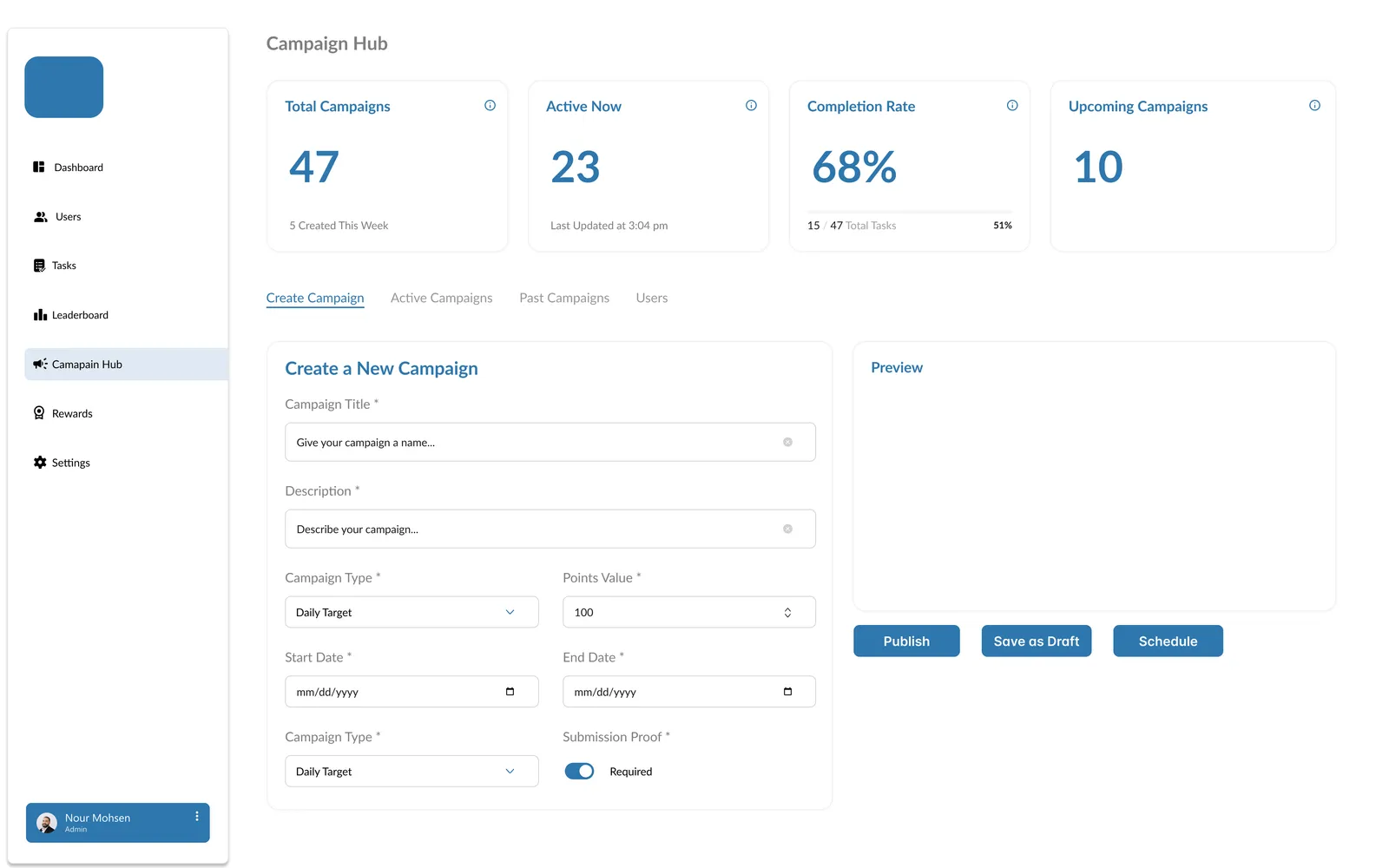
As the admin fills in a campaign or reward, the card updates beside the form, the way employees will see it. Mistakes show up before publishing, not after.
Every module opens with the same row of metrics: total, active, pending, completion. Admins learn the layout once and read any page in seconds, which keeps cognitive load low.
Blue carries navigation, data and actions. Orange is saved for points and highlights, so the eye goes straight to what was earned.
This is the core loop of the admin side, simplified: review a submission, approve or reject it, and watch the leaderboard react. Demo data.
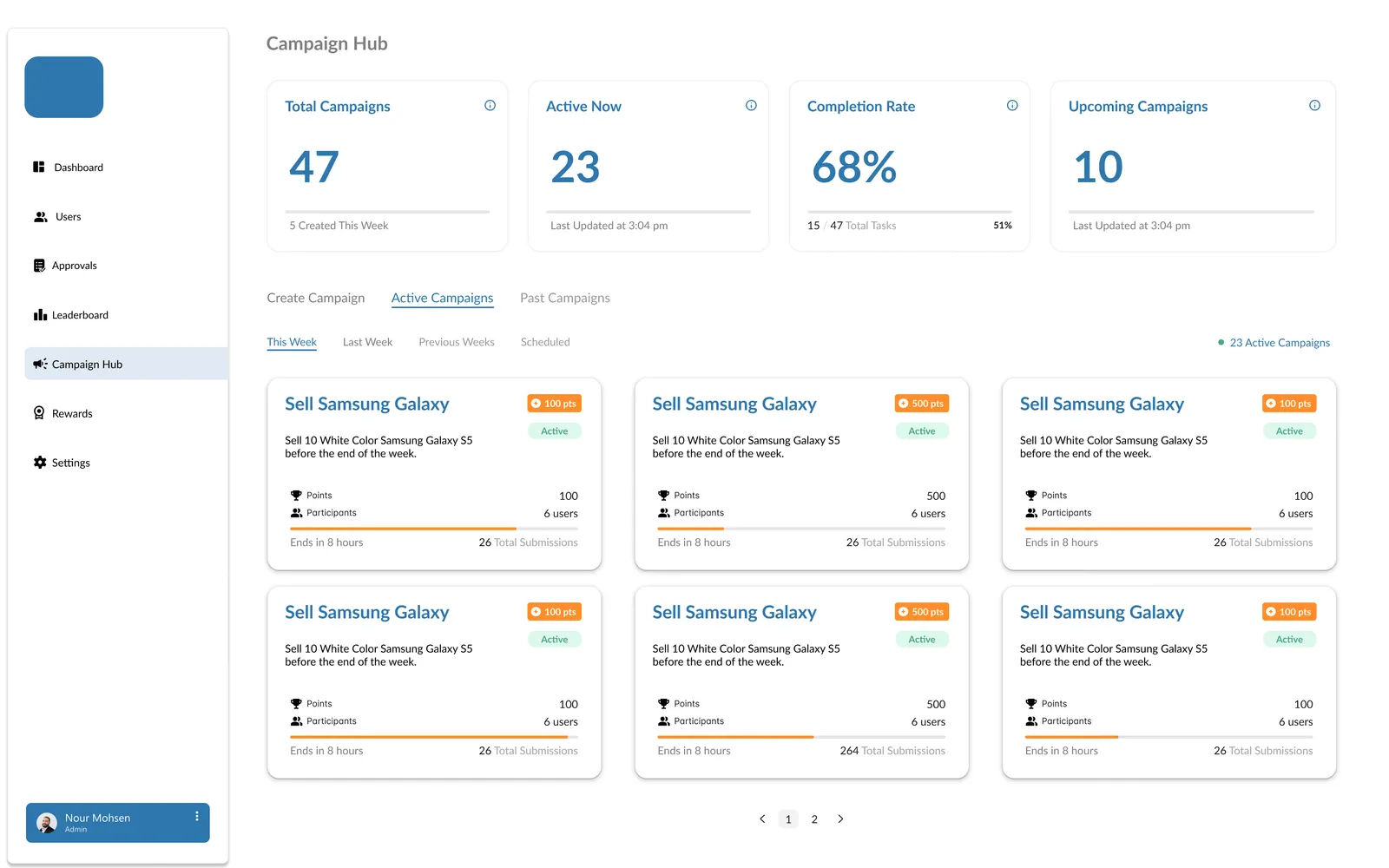
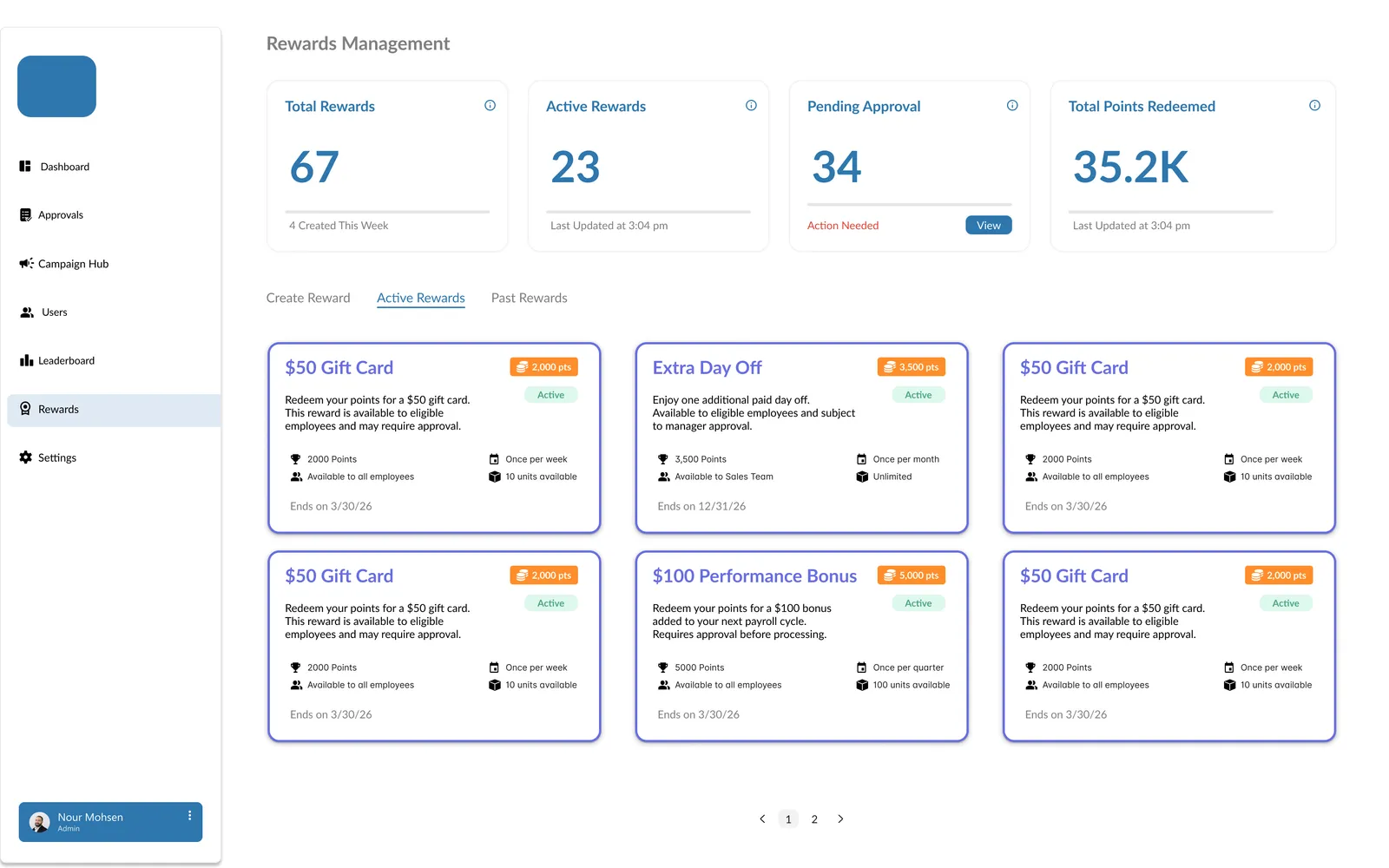
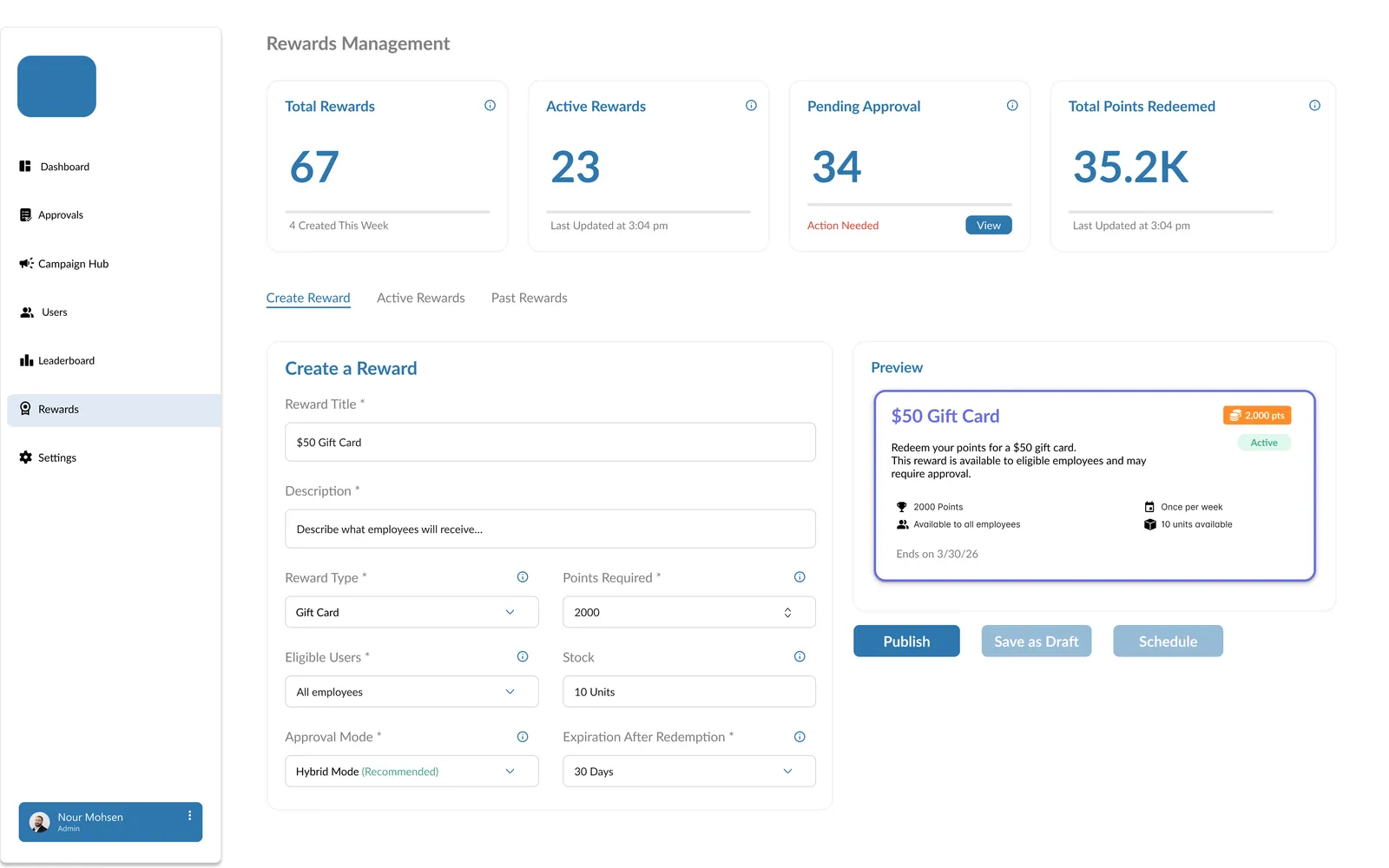 01 · Campaign Hub
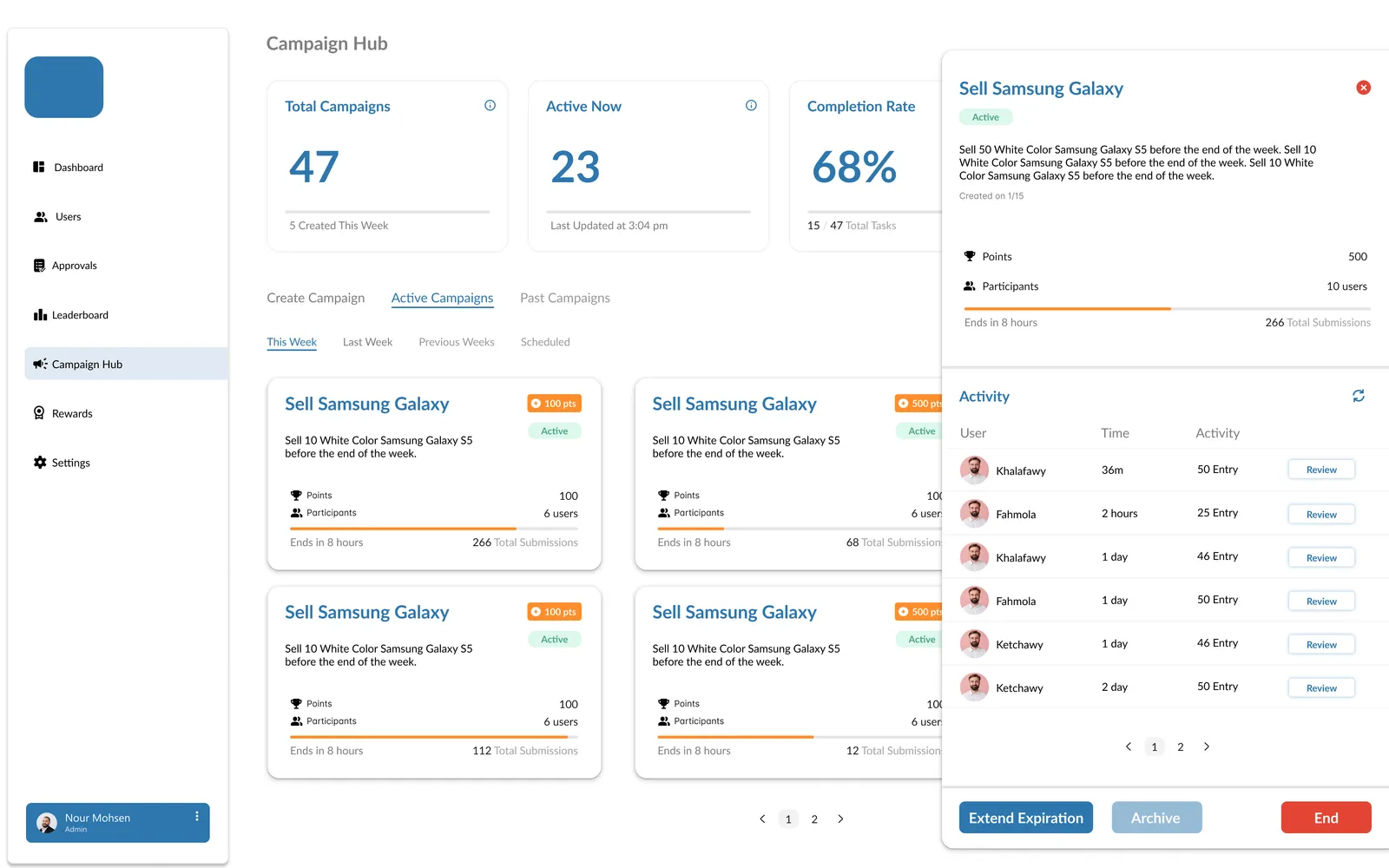
Totals, active campaigns, completion rate and what's coming up. Below them are campaign cards with points, participants, a progress bar and time left.
02 · Campaign drawer
The drawer shows the details and a live activity feed of who submitted what, with Review buttons. Extend, archive or end the campaign from the same place.
03 · Create a campaign
Title, type (daily, weekly or monthly target), points, dates, team and proof rules. Publish, save as draft, or schedule.
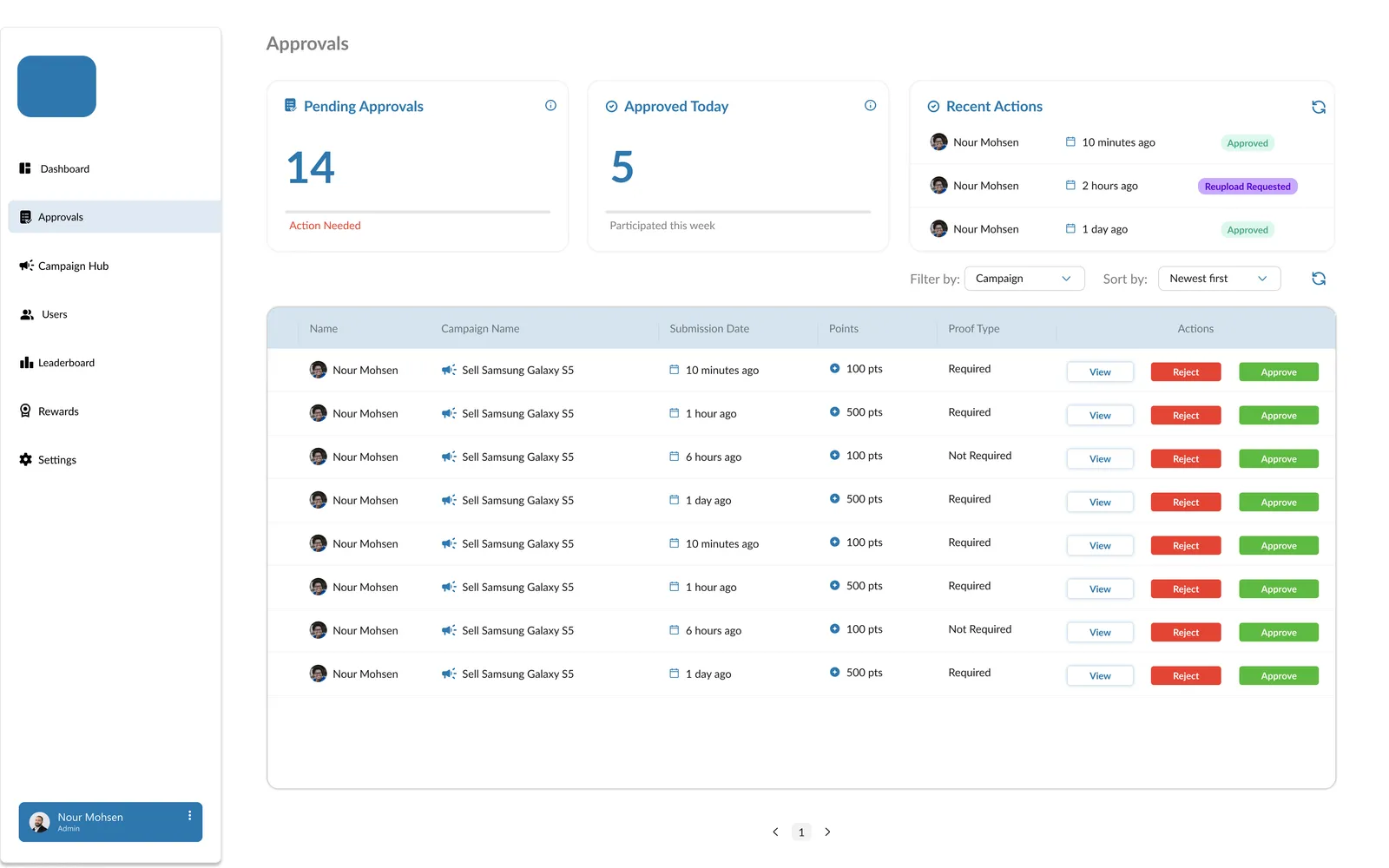
04 · Approvals
Pending, approved today and recent actions at the top. One table with View, Reject and Approve on every row, plus filtering and sorting.
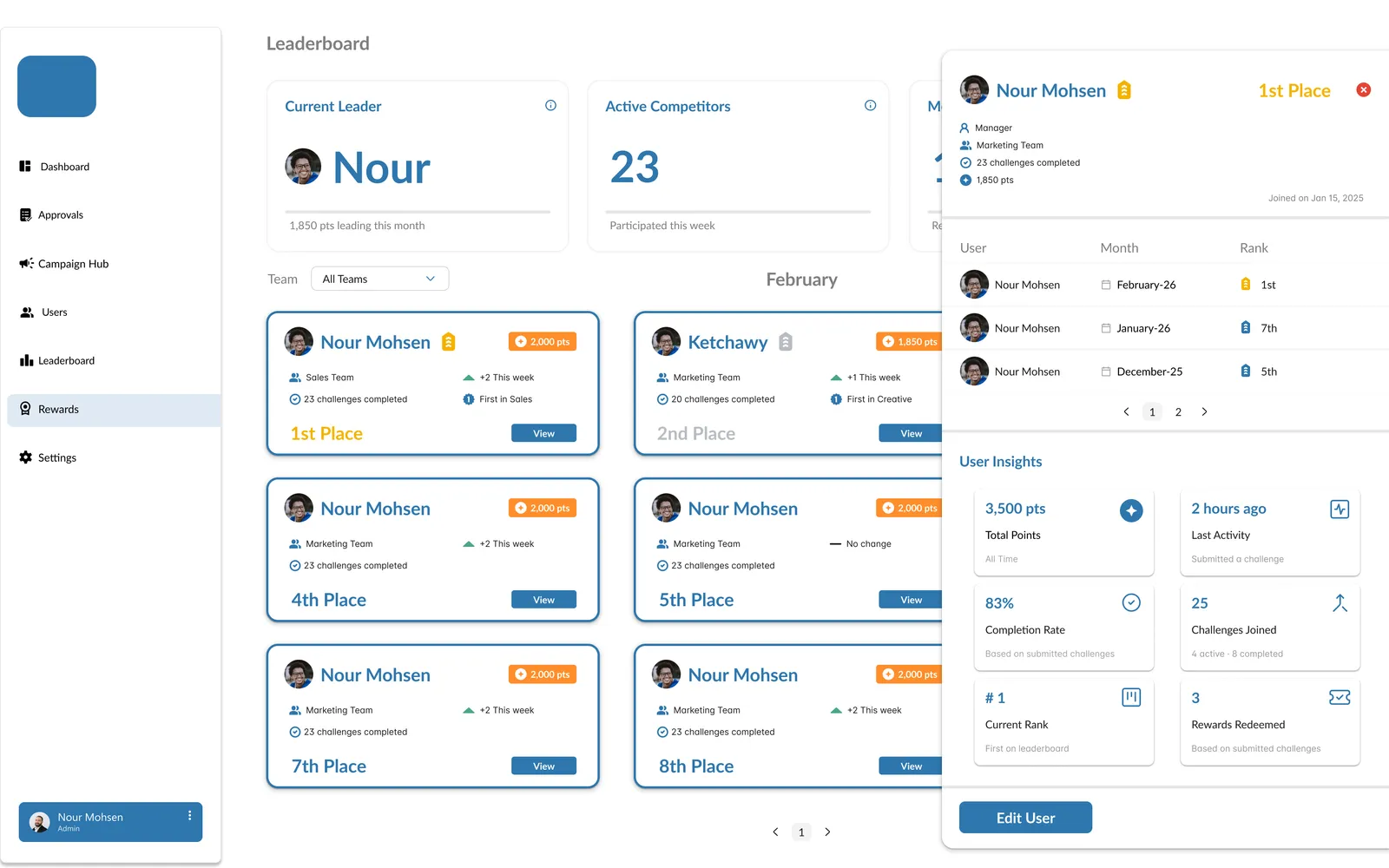
05 · Leaderboard
The current leader, cards for each competitor with their rank and points, and a drawer with each person's history and insights. You can switch between card and table views.
06 · Rewards
Gift cards, extra days off and bonuses, each with its point cost, stock, who's eligible, and its expiry.
07 · Create a reward
The same layout as creating a campaign: a form on the left, a live preview on the right, and the same three buttons. Once you've made one, you know how to make the other.
I built the components before scaling the screens: color guidance, Lato type with a scale for big numbers, icons, metric widgets, campaign and reward cards, buttons and labels, forms, tabs, avatars, tables, date pickers, dropdowns and notifications. Every screen in the tour above is made from these parts, which made the developers' job much faster.
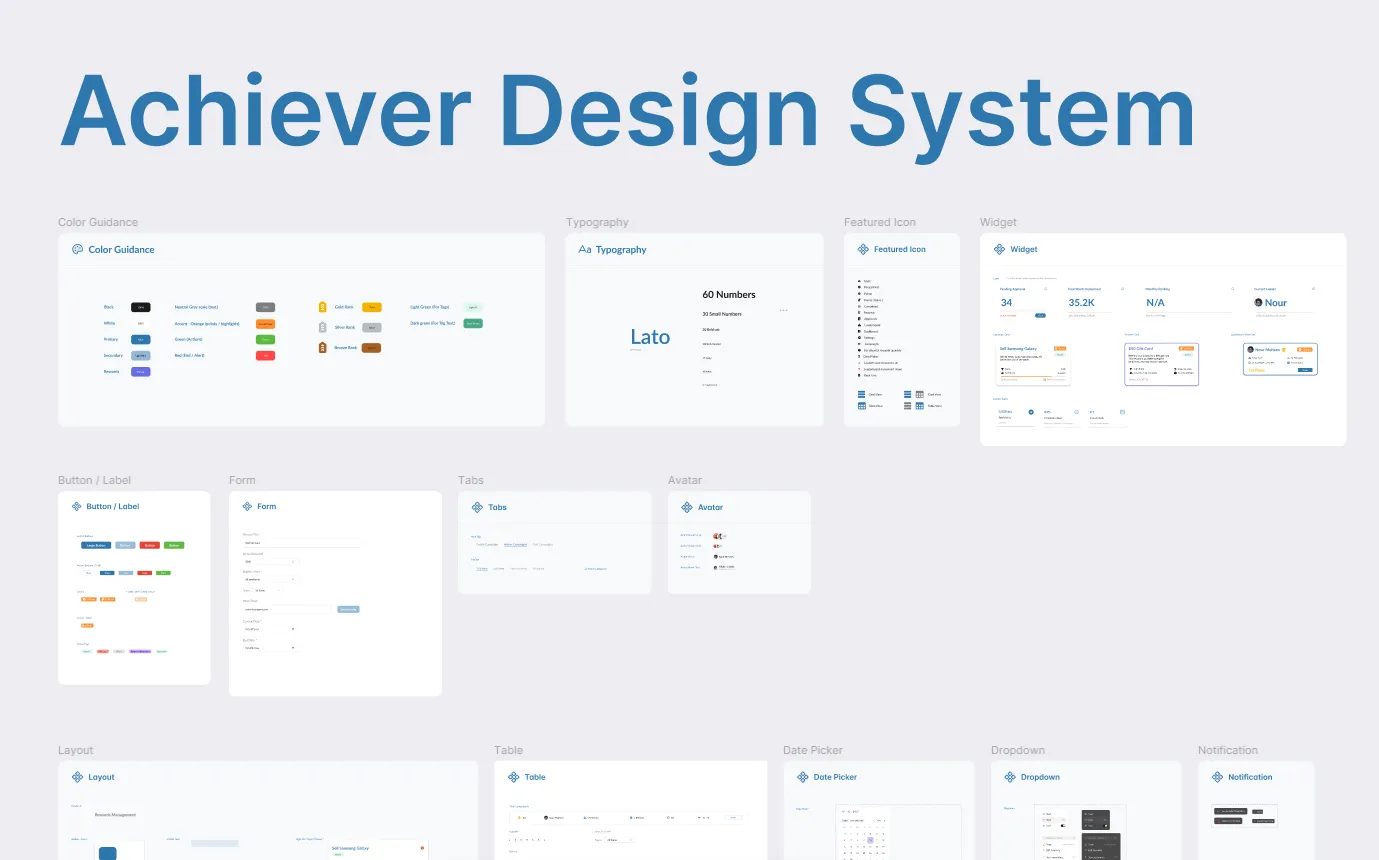
To show the developers exactly how the app should behave, I built the admin side myself in HTML and CSS: 7 linked pages with the real layout, drawers and states. It became part of the handoff, so there was much less guessing about spacing, hierarchy or interactions.
This is that prototype, running live below. Click around: the navigation, tabs and cards work.
The PM brought the founder's idea and the problem. I owned everything from there: flows, features, UI, the design system and the prototype. Most feedback came from inside the team, from the PM and developers, and it often shaped decisions toward patterns that were faster to build, like the single drawer.
Status: the developers are building Phase 1 now. I'm still designing, and the employee side is next.
 Nour MohsenProduct designer